What the personal code is, and isn’t
You get one personal code, and you use it for every role you hold: a director of three companies gives the same code to each1. It proves to Companies House that the person in that role has verified their identity1.
It is not your company’s authentication code. That one is a 6-character code issued to the company, posted to its registered office, and used to authorise its online filings, “the equivalent of a company officer’s signature”4. Nor is it your UTR, the 10-digit tax reference HMRC gives you or your company6.
| Code | Who it belongs to | Who issues it | Where it goes | What it’s for |
|---|---|---|---|---|
| Personal code | You, the person | Companies House, after you verify | Your Companies House account or your email | Proving a director or PSC is verified1 |
| Authentication code | The company | Companies House | Posted to the registered office, up to 10 working days | Authorising the company’s online filings4 |
| UTR | You, or the company | HMRC | By post, about 15 days after registering | Your tax returns6 |
Where to find yours
It depends on how you verified1:
- With GOV.UK One Login, online or in the app: sign in to Companies House and go to “Manage account”. Use the same email address you used to verify. If you verified after 8 July 2026, Companies House also emailed the code to you.
- At a Post Office: you get an email with your result, usually within a day of your visit. After a successful check you can sign in and see the code in “Manage account”3.
- Through an authorised agent (ACSP): Companies House emailed the code to the address the agent gave for you. Ask the agent which address they used if you can’t find it.
If an agent verified you, save the code to a Companies House account so you can always get it back: sign in, or create sign-in details, with the email address the code was sent to, confirm you’ve verified, enter the code and your date of birth1.
Lost it, or never received it
Don’t verify a second time. Companies House says you’ll usually only need to verify once and must not verify again unless it tells you to2. Instead:
- Sign in to Companies House with each email address you might have used, and check “Manage account”1.
- Search your inbox for the email with your result or your code1,3.
- If an agent verified you, ask them, and ask them to contact Companies House if they gave the wrong email address1.
- If you think someone else has your code, contact Companies House. It can cancel the code and email you a new one1.
“Not working”: the usual causes
If your code won’t connect to the director or PSC on the register, Companies House gives three common reasons1:
- A typing mistake in the code. Check all 11 characters.
- Your date of birth is wrong on its records. When you use your code, Companies House may ask for your date of birth to check your details match. Check the date it holds by signing in to WebFiling, and correct it before you try again1.
- An agent verified you with the wrong details. Ask them to update what they gave Companies House1.
Giving it to your company
Directors give their code in the company’s next confirmation statement, and Companies House will not accept that statement until every director has verified5. You can share your code with someone who files for you, such as an accountant, but keep it as safe as your UTR1,2.
When you file your confirmation statement with Fileyear, you enter each director’s code as one of the steps, and it is filed with the statement. Fileyear doesn’t verify identities: if a director has no code yet, they verify first, which is free through GOV.UK One Login2. The full rules, including the separate deadlines for PSCs, are in Companies House identity verification.
Which code to use where
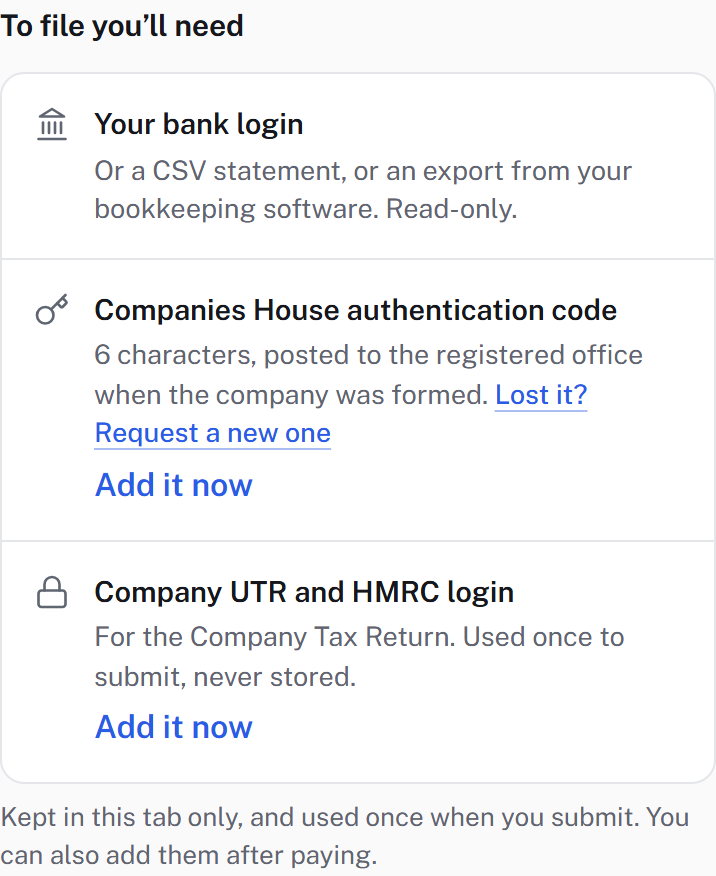
- Confirmation statement: the company’s authentication code to sign in and file, and each director’s personal code inside the statement5,4.
- Appointing a new director: the new director’s personal code with the appointment1.
- PSC verification: the PSC’s personal code, through Companies House’s own PSC service1.
- Company Tax Return: neither. That uses HMRC’s references, such as the company’s UTR6.